
XML Edita
A professional, native XML editor for macOS. XSD validation, intelligent auto-completion, XSLT transformations, visual schema editing, and project management — all in a fast, single-window interface.



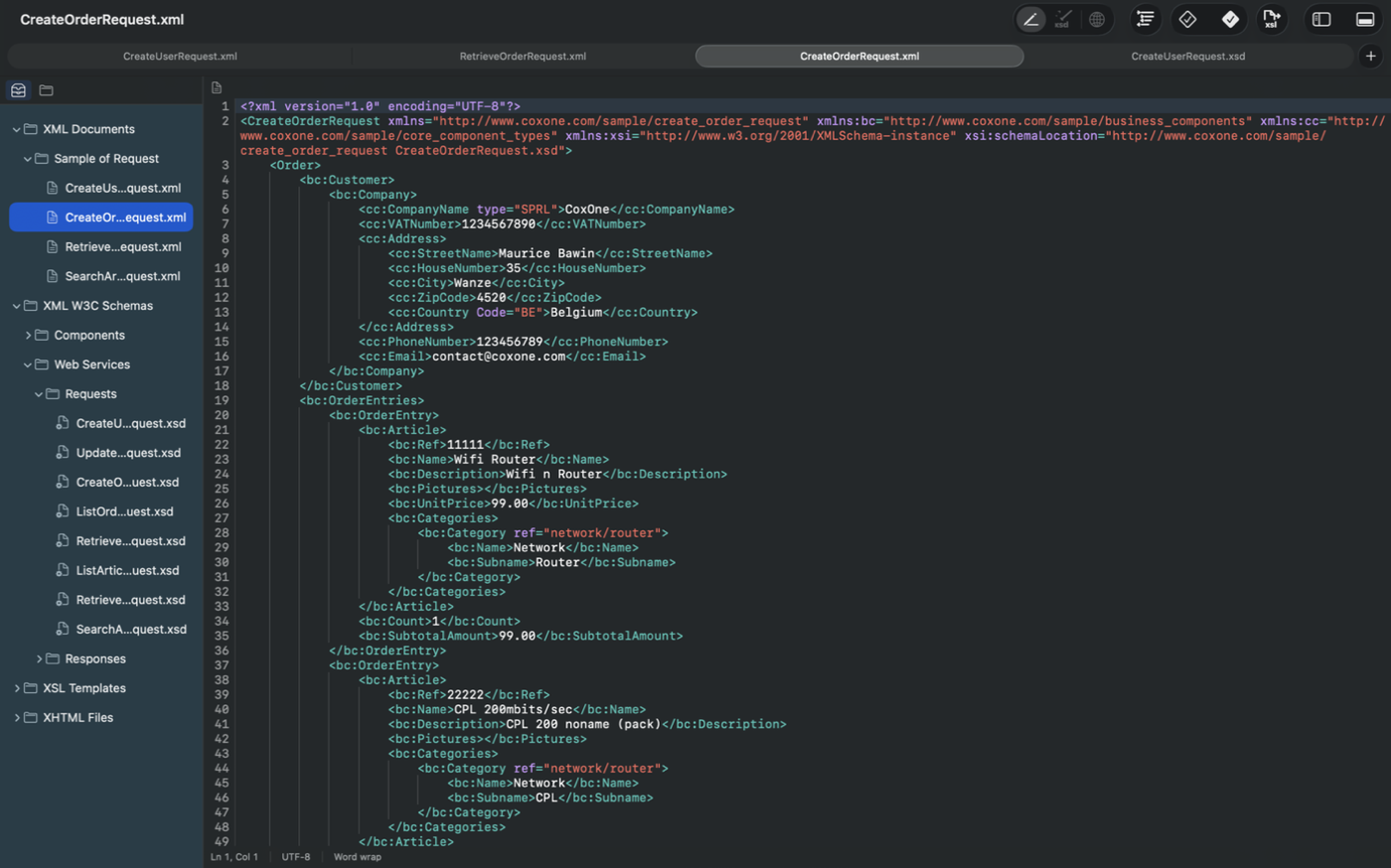
Key Features
Everything you need to author, validate, and transform XML on macOS.
Intelligent Code Editor
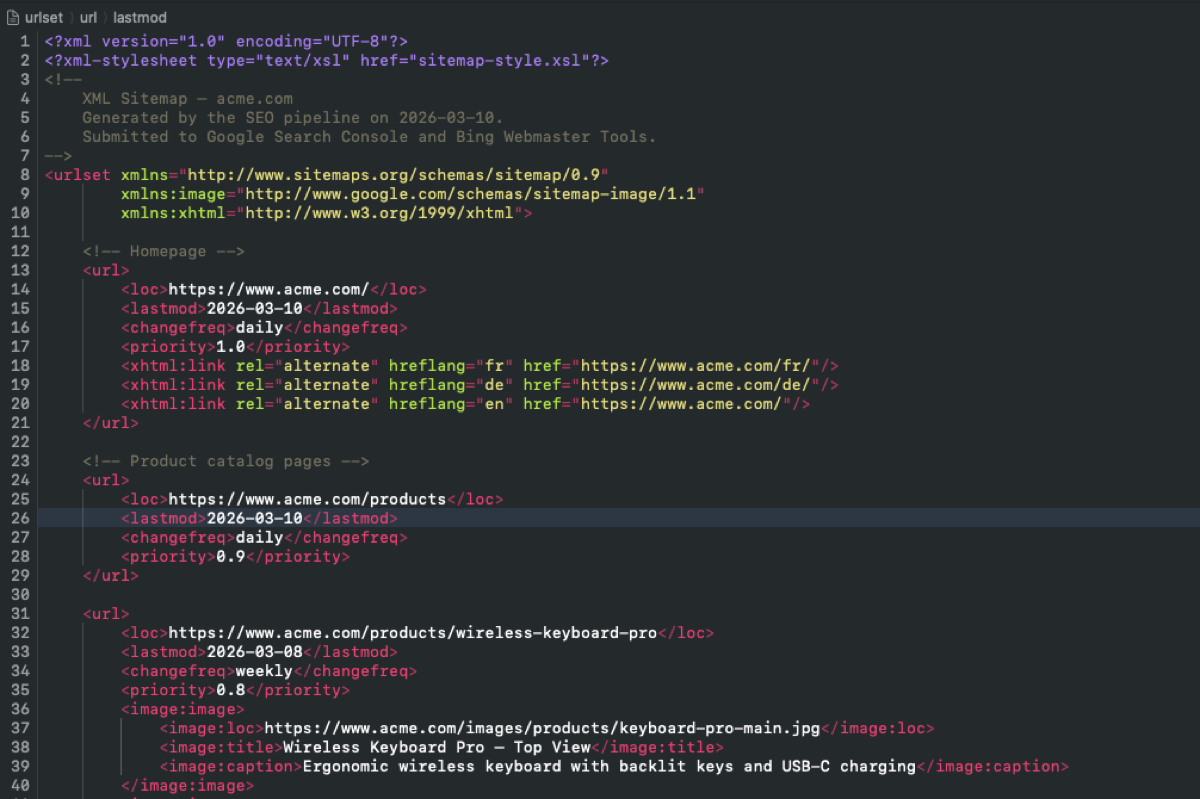
Syntax highlighting, indent guides, auto-indentation, XPath breadcrumb, and tag matching for XML, XSD, XSLT, and more.
XSD Validation
Validate against one or more XML Schemas with detailed diagnostics, multi-namespace support, and click-to-navigate errors.
Smart Auto-Completion
Context-aware suggestions for elements, attributes, values, and namespaces driven by XSD, DTD, or XSLT models.
XSLT Transformations
Built-in XSLT 1.0 processor with XSL-FO to PDF support (direct sale).
XSD Composer
A visual schema editor with an interactive canvas, drag-and-drop nodes, global definitions sidebar, and property inspector.
XPath Evaluation
Evaluate XPath 1.0 expressions and inspect typed results directly in the console.
Web Preview
Live HTML, XHTML, and SVG preview rendered via WebKit, with automatic reload on every edit.
Project Management
Organize files into .xep projects with nested groups, recent project list, and Navigator Hub integration.
Intelligent Code Editor
A full-featured text editor built specifically for XML and related languages, with real-time visual feedback at every level.
- Syntax highlighting — Elements, attributes, values, comments, CDATA, processing instructions, and DOCTYPE
- Indent guides — Vertical lines that visualize nesting depth
- XPath breadcrumb — Real-time hierarchical path at the cursor position
- Tag matching — Automatic highlighting of opening/closing tag pairs
- Smart editing — Auto-close tags, auto-insert attribute quotes, synchronized tag renaming
- Status bar — Line, column, selection length, and encoding at a glance
Context-Aware Auto-Completion
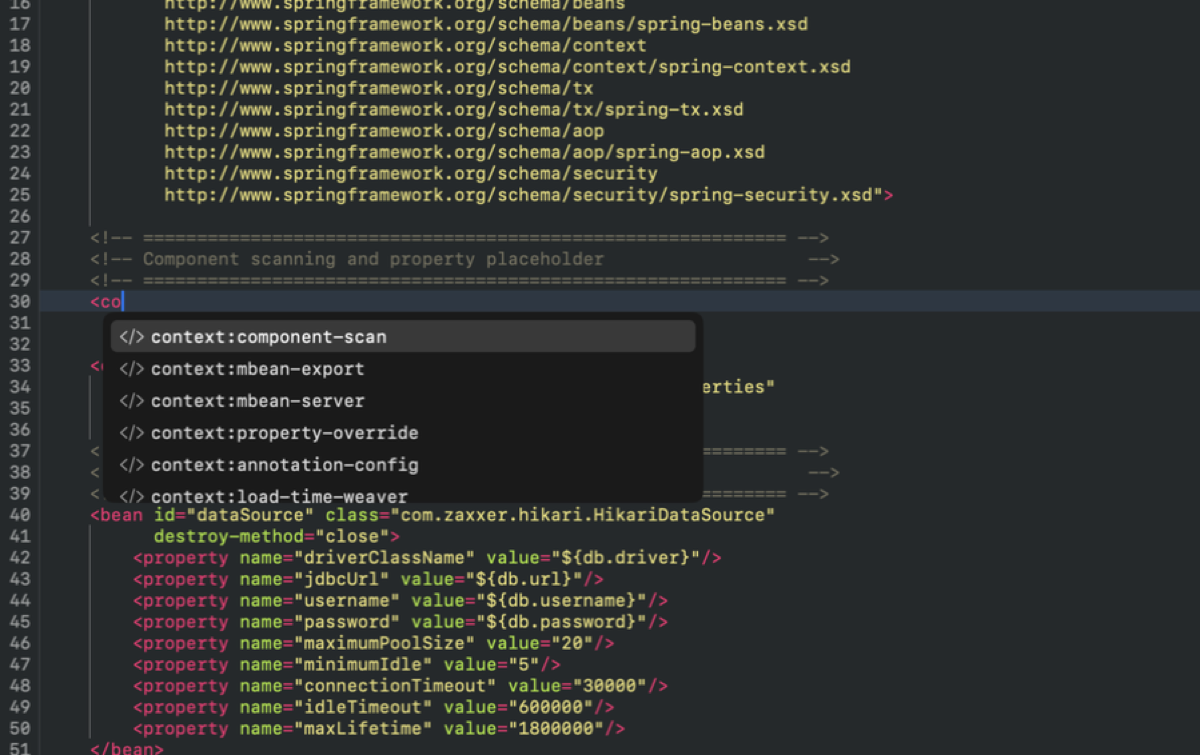
Press Ctrl+Space to trigger completions. XML Edita analyzes the XSD content model at your cursor position and suggests only valid elements, attributes, values, and namespaces.
- Driven by XSD sequence, choice, and all content models
- Required attributes presented first
- Enumeration and simple type values for attributes
- Multi-schema and multi-namespace support
- Fuzzy matching on partial text
- Documentation side panel showing schema annotations
XSD Validation
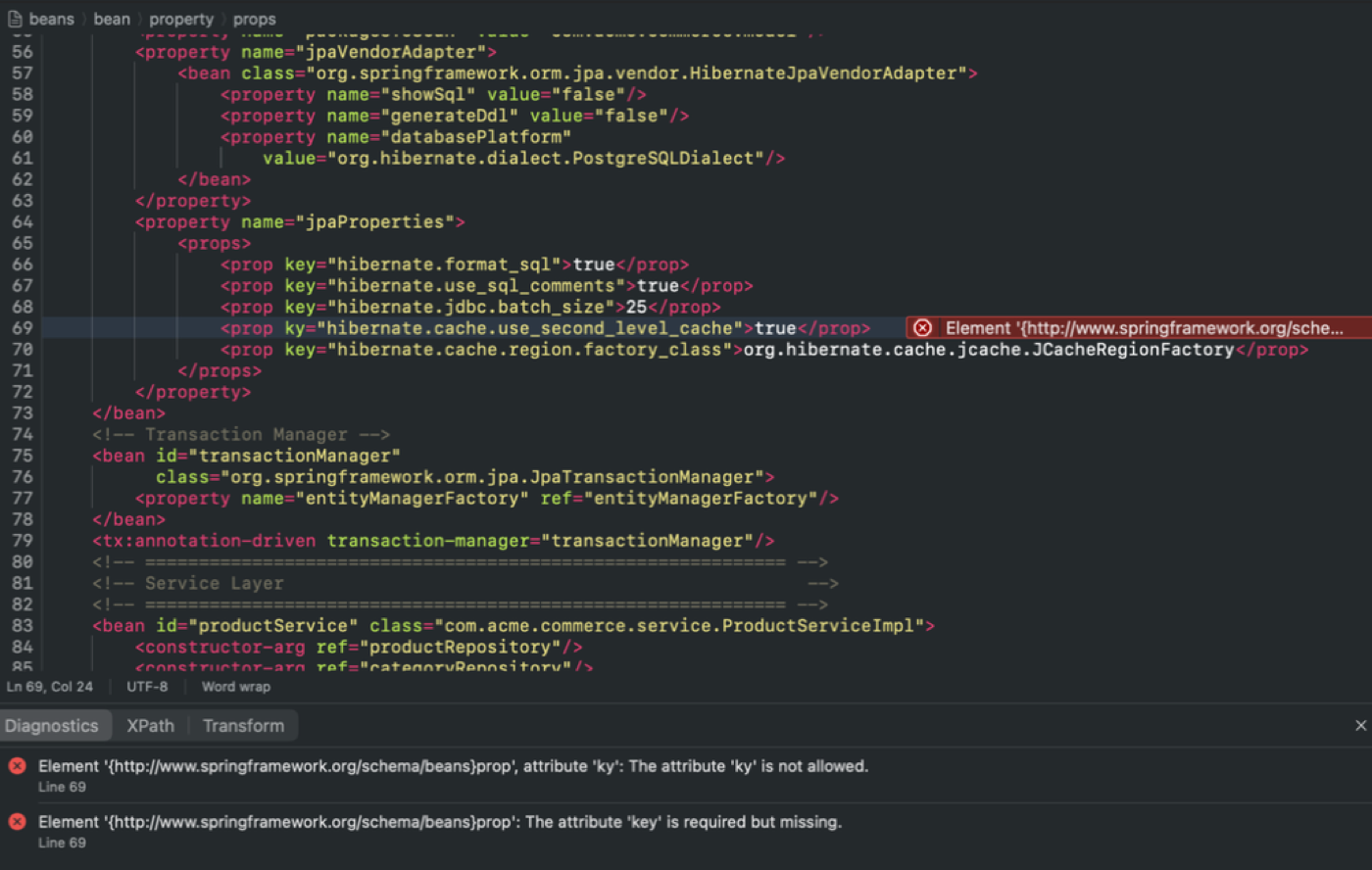
Validate your documents against one or more XML Schemas. Errors and warnings appear in the console with click-to-navigate to the source location.
- Well-formedness check — Instant syntax verification
- Multi-schema validation — Support for multiple XSD files and namespaces
- Transitive resolution — Automatic import/include chain resolution
- Detailed diagnostics — Errors and warnings with line and column numbers
- 9 built-in schemas — XML Schema, XHTML, XSLT, XSL-FO, SVG, CML, and more for offline validation
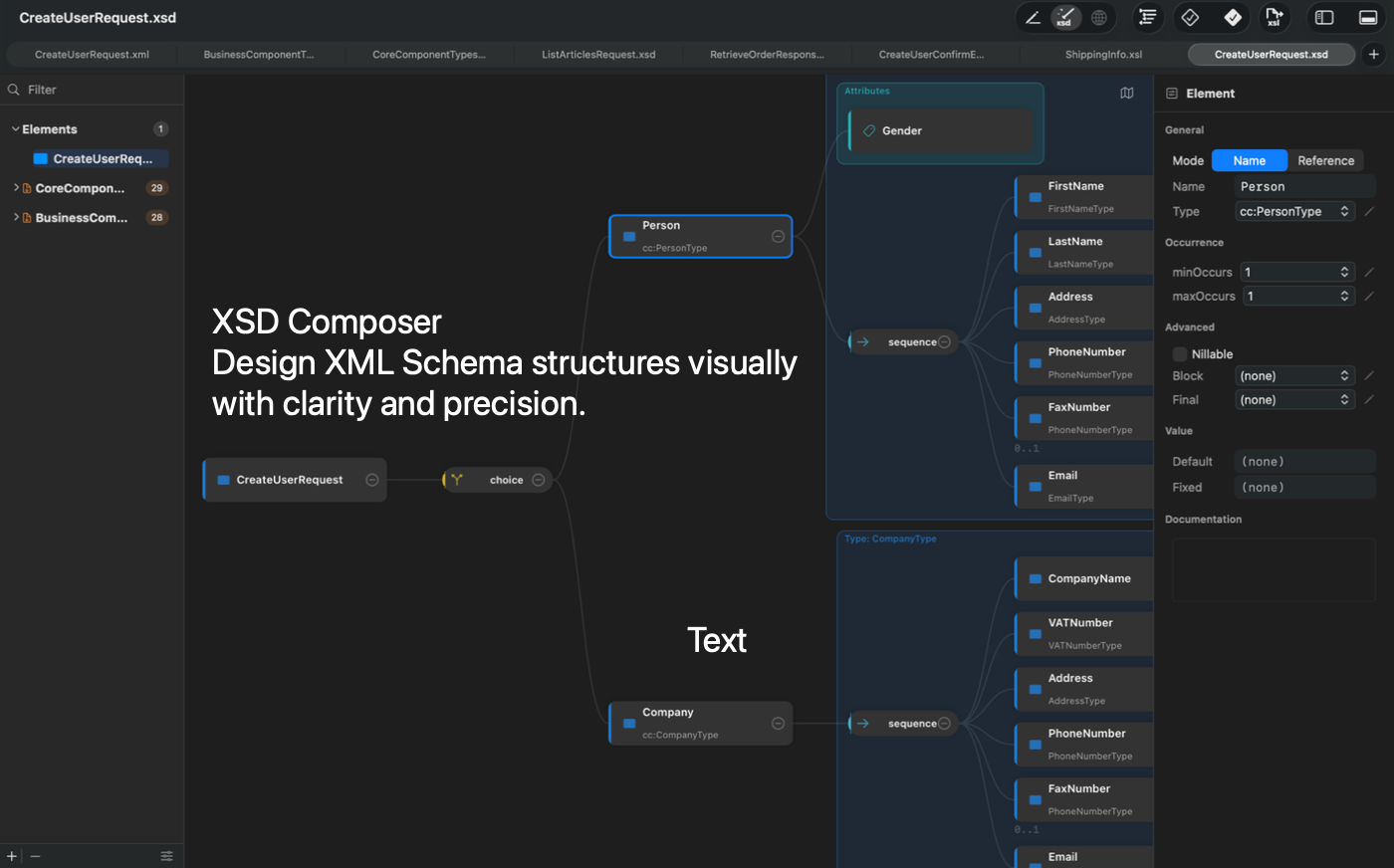
XSD Composer — Visual Schema Editor
Design and explore XML Schemas visually. The interactive canvas renders the schema structure as a tree of typed nodes that you can expand, collapse, edit, and rearrange.
- Interactive canvas — Auto-layout, pinch-to-zoom, pan, minimap overlay
- 10 node types — Element, complexType, simpleType, sequence, choice, all, group, attributeGroup, attribute, any
- Global definitions sidebar — Browse, search, and filter all definitions by category
- Property inspector — Contextual panels for every node type with real-time editing
- Facet editor — Enumerations, patterns, restrictions (lengths, digits, bounds)
- Bidirectional sync — Edits in the Composer update the source XML and vice versa
- Export — Export the schema diagram as PNG or PDF
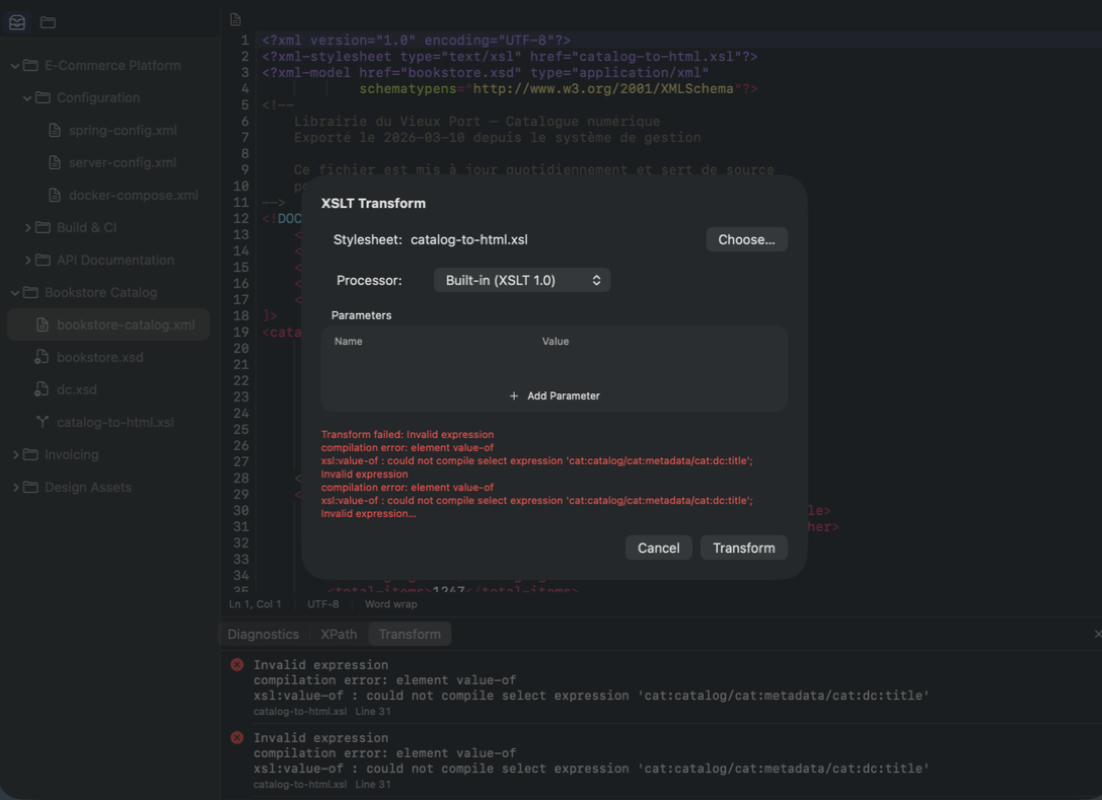
XSLT Transformations
Transform XML documents using built-in XSLT 1.0 or external processors. Configure stylesheets, parameters, and output options from a single dialog.
- Built-in XSLT 1.0 — Fast transformations via libxslt
- XSL-FO to PDF — Apache FOP pipeline: XML → XSL-FO → PDF (direct sale version)
- Auto-detect stylesheet — Reads the xml-stylesheet processing instruction
- Generate XML from XSD — Create a valid XML document from a schema with configurable options
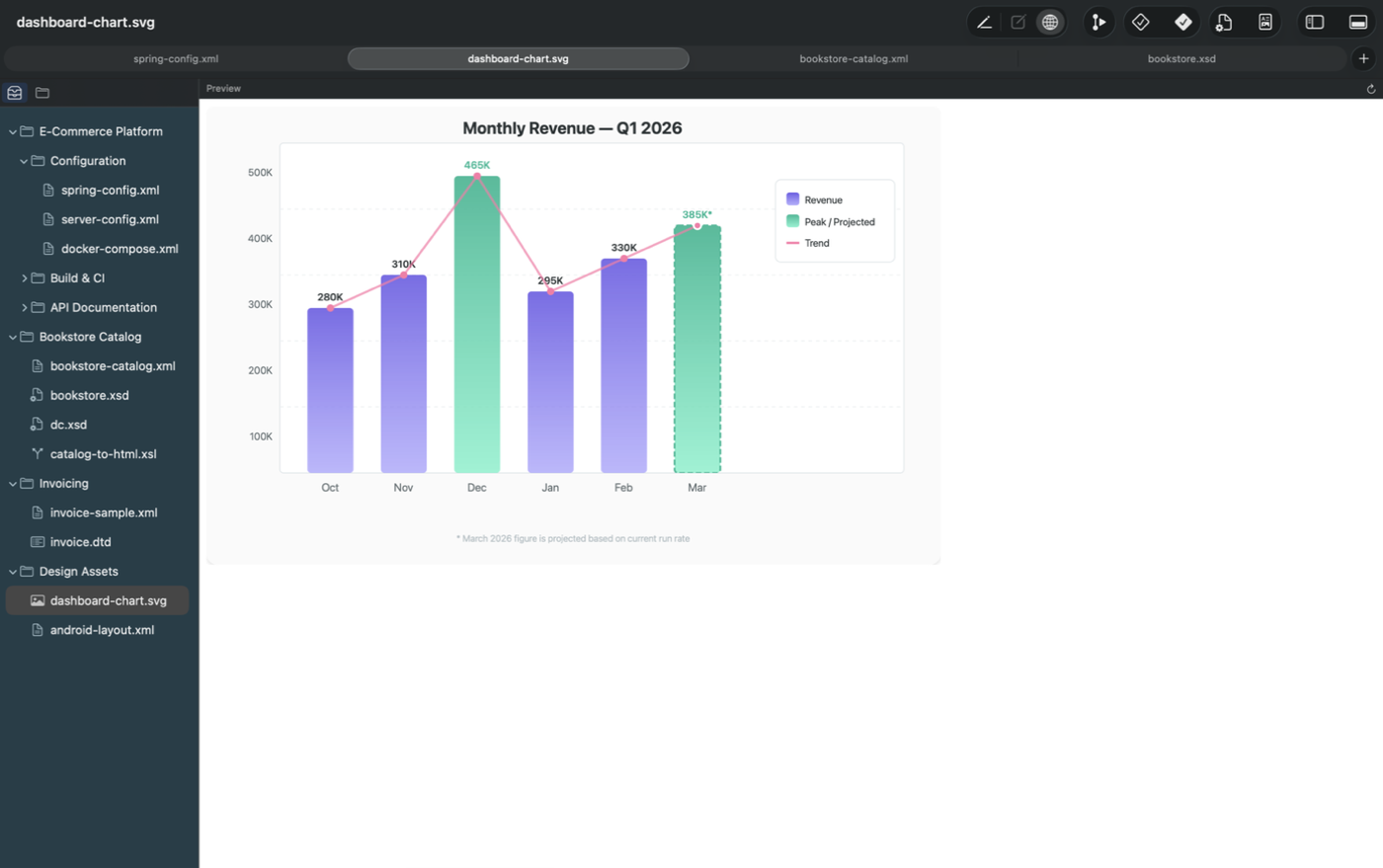
Live Web Preview
Preview HTML, XHTML, and SVG documents in a native WebKit view that reloads automatically as you edit.
- Real-time rendering of HTML, XHTML, and SVG
- Preview of XSLT transformation results
- Automatic reload on every document change
- Native WebKit engine
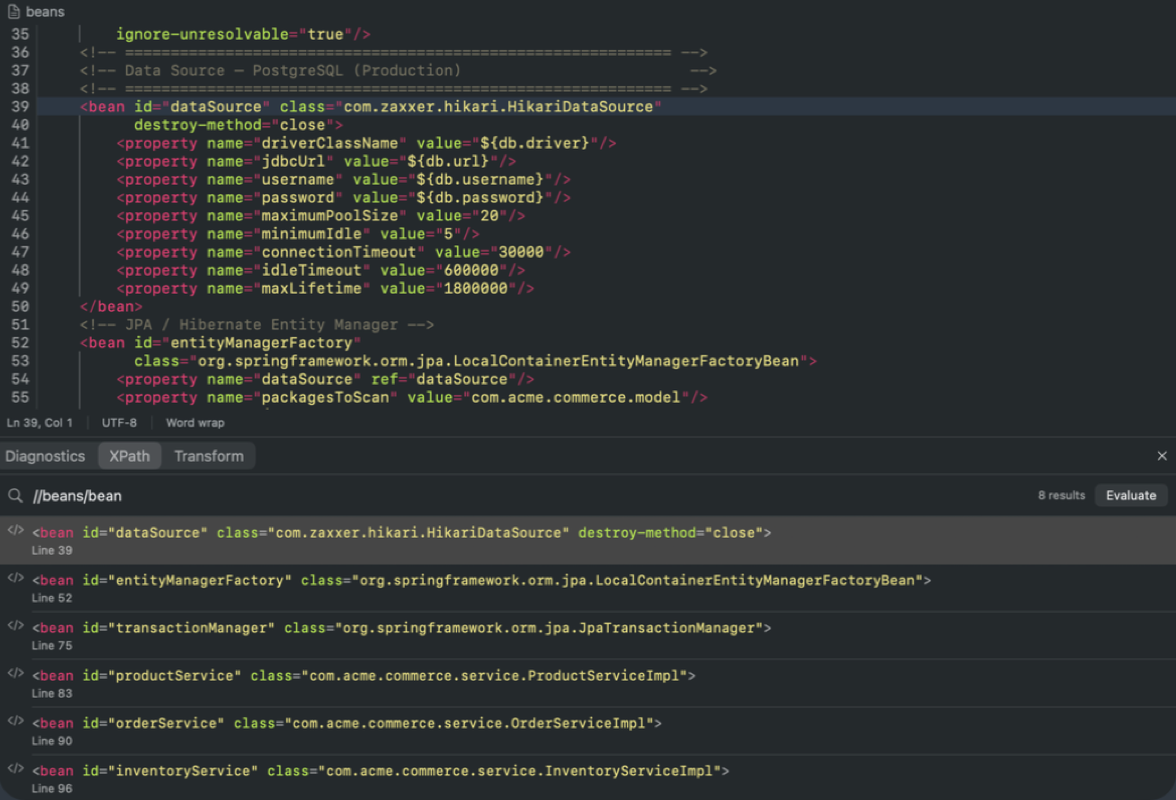
XPath Evaluation
Evaluate XPath 1.0 expressions directly from the console. Results are displayed with their types — nodes, strings, numbers, or booleans.
- Typed results: node sets, strings, numbers, booleans
- Dedicated XPath tab in the console
- Quick iteration on queries against the current document
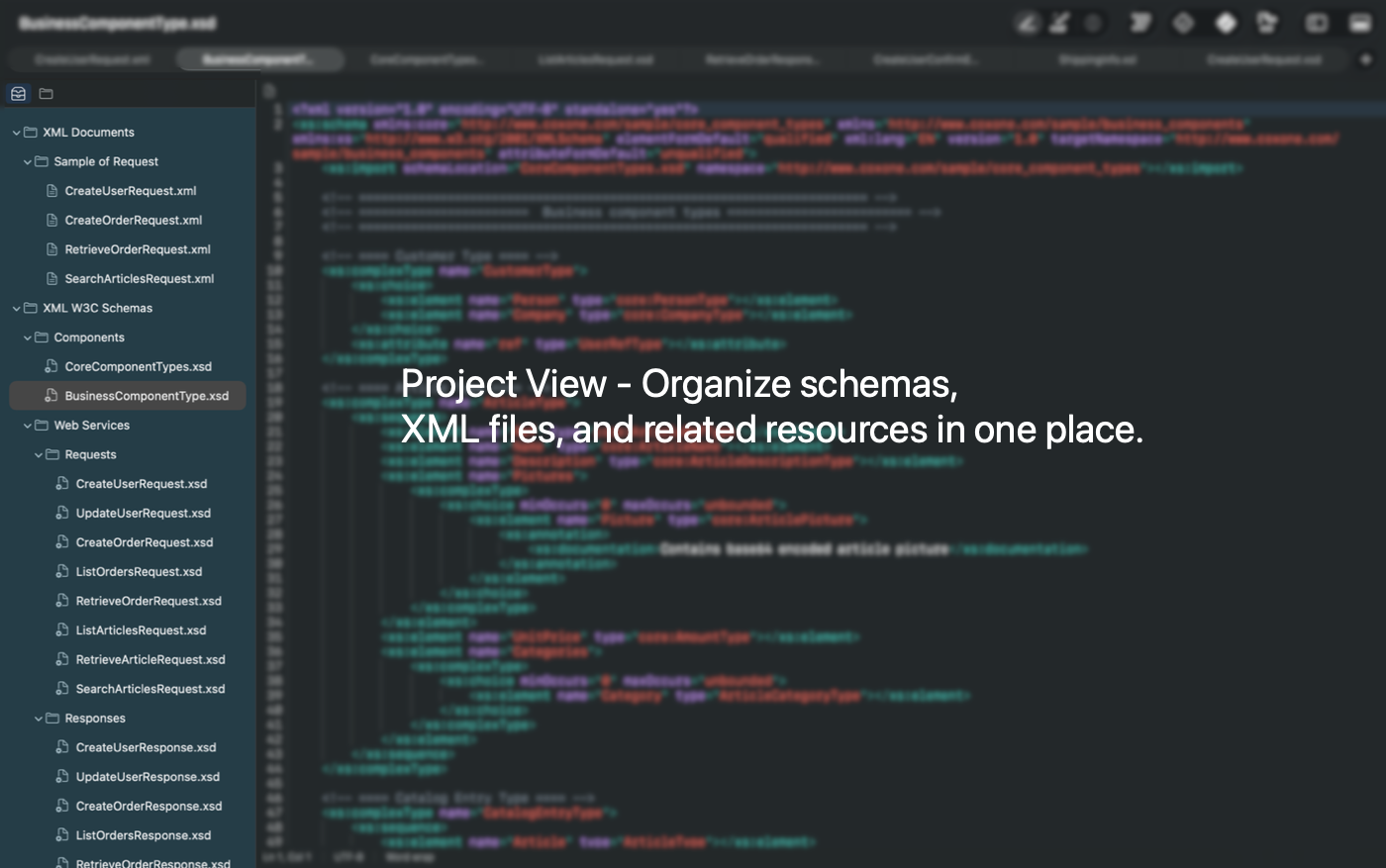
Project Management
Organize your XML files into projects (.xep) with nested groups, relative paths, and a shared Navigator Hub across all windows.
- Navigator Hub — Project tree + open files tabs, synchronized across windows
- Templates — 12 built-in templates (XML, XSD, XSL, XHTML, SVG, HTML, RSS, Plist, DTD, FO, CML) plus custom templates
- Recent projects — Quick access from the welcome screen and menu
- macOS integration — Autosave, version history, window state restoration
Keyboard Shortcuts
| Shortcut | Action |
|---|---|
| Cmd+N | New document |
| Cmd+O | Open document |
| Cmd+S | Save |
| Cmd+F | Find |
| Cmd+H | Find & Replace |
| Cmd+Shift+W | Validate well-formedness |
| Cmd+Shift+V | Validate against schema |
| Cmd+Shift+F | Format document |
| Cmd+T | Apply XSLT |
| Cmd+Shift+D | Toggle XSD Composer |
| Cmd+Shift+P | Toggle Web Preview |
| Cmd+0 | Toggle Navigator Hub |
| Cmd+Shift+C | Toggle Console |
Editions & Compatibility
Two editions
| Feature | App Store | Direct Sale |
|---|---|---|
| XML editing, validation, completion | Yes | Yes |
| XSLT 1.0 (built-in) | Yes | Yes |
| XSD Composer | Yes | Yes |
| XPath evaluation | Yes | Yes |
| Web Preview | Yes | Yes |
| XSL-FO to PDF (Apache FOP) | — | Yes |
| Unrestricted file access | — | Yes |
System requirements
| Requirement | Minimum |
|---|---|
| Operating System | macOS 14.0 (Sonoma) |
| Architecture | Intel & Apple Silicon |
Who Is It For?
XML Edita is built for anyone who works with XML on macOS.
XML Developers
Edit, validate, and transform XML documents with schema-driven tooling.
Schema Architects
Design and visualize complex XSD schemas with the interactive Composer.
Integration Engineers
Work with XSLT pipelines, test XPath queries, and preview transformations.
Technical Writers
Author XHTML, DocBook, or DITA content with live preview and validation.
Ready to edit XML like a pro?
Download XML Edita from the Mac App Store, or try the direct sale version with XSL-FO to PDF generation.
Contact Support
If you have any questions please do not hesitate to contact us.
What is XML Edita's privacy policy?
We do not collect any personal data at all.